
Automatic Paste without leaving your app.
Open history with a shortcut, find the right item and paste into the app you are using. Direct shortcuts for the first nine items are available in every edition.
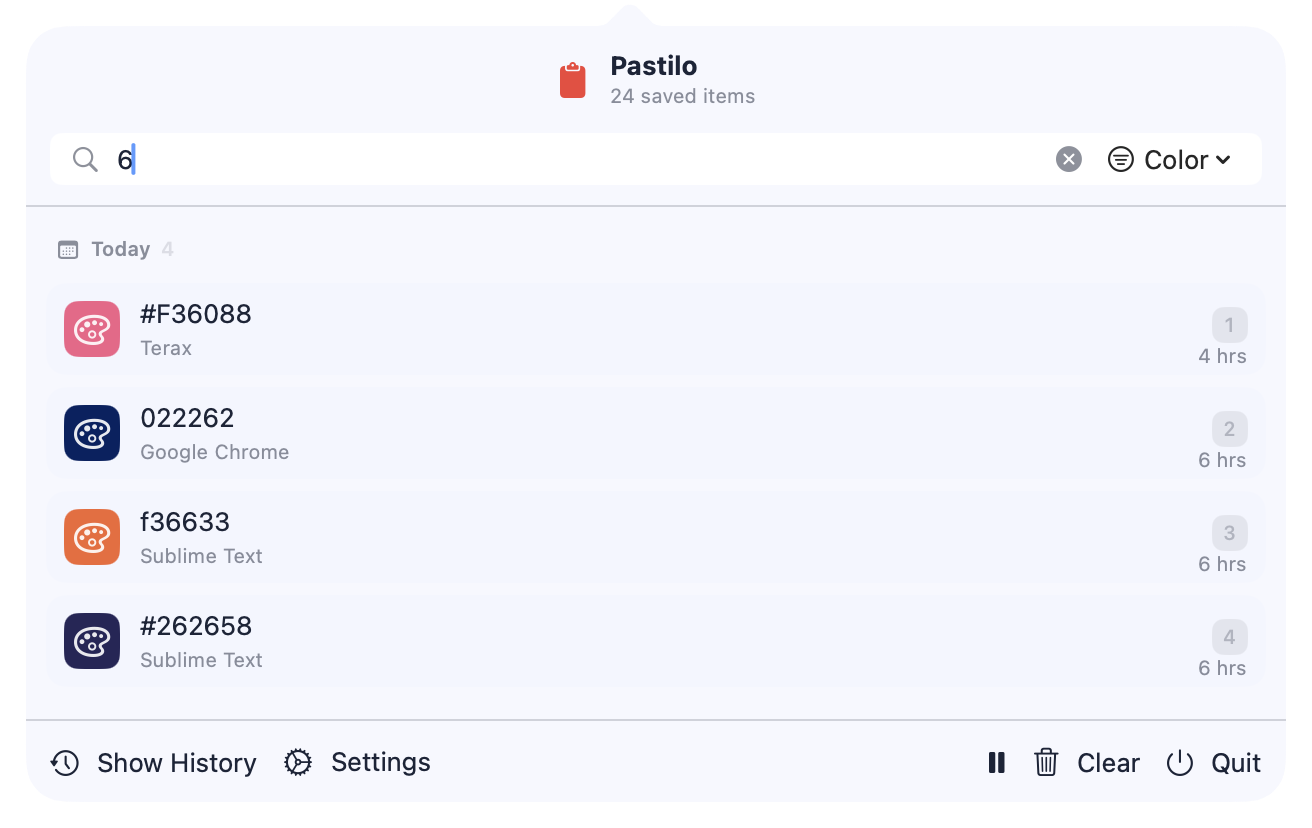
Open history or paste directly.
Use the history window when you need to search. If the item is already among the first nine, use its global shortcut without opening the window. This is available in every edition.
Download Pastilo- Open from anywhereUse ⌘ Shift V or the menu bar shortcut ⌘ ⌥ M.
- Choose inside history with 1–9Search your history and use the number keys to choose an item from the main column.
- Paste directly with ⌥1–9Use Option and a number for the first nine items without opening history. Enable the global shortcuts in Settings. This is available in every edition.
- Give macOS permission to pasteAutomatic paste requires Accessibility permission. Without it, Pastilo copies the selected item and you can paste with ⌘ V.
One item now, a queue when you need it.
Direct shortcuts use the main history column. For a longer sequence, Sequential Paste in Plus and Dev lets you line up several items and preview the queue in the Notch.
You control whether global numbered shortcuts are enabled. macOS Accessibility permission controls whether Pastilo can send the paste keystroke to your target app.
Choose from history.
Paste into the moment.
Automatic paste questions
What is Pastilo's global shortcut?
Press ⌘ Shift V to open Pastilo from anywhere on your Mac.
Is there another way to open Pastilo?
Yes. Use ⌘ ⌥ M or open it from the menu bar.
Are direct ⌥1–9 shortcuts available in every edition?
Yes. Direct Option and number shortcuts for the first nine items are available in every edition. Enable them in Settings.
Why did Pastilo copy an item without pasting?
Automatic paste needs macOS Accessibility permission. If it is unavailable, use ⌘ V after selecting the item.
Which column do the number shortcuts use?
The number shortcuts use the main history column. The second history column does not have its own numbered shortcuts.
Spend less time repeating the handoff.
Keep the clipboard workflow close to your active app.