
Clipboard tools built for developer work.
Turn copied content into something you can use. Extract text from images, edit HTML with a live preview or convert JSON into Swift Codable in a dedicated local workspace.
From copied content to a useful result.
Open Dev tools beside the selected item, edit its text and inspect the result before copying it. OCR, conversions and code transformations run locally on your Mac.
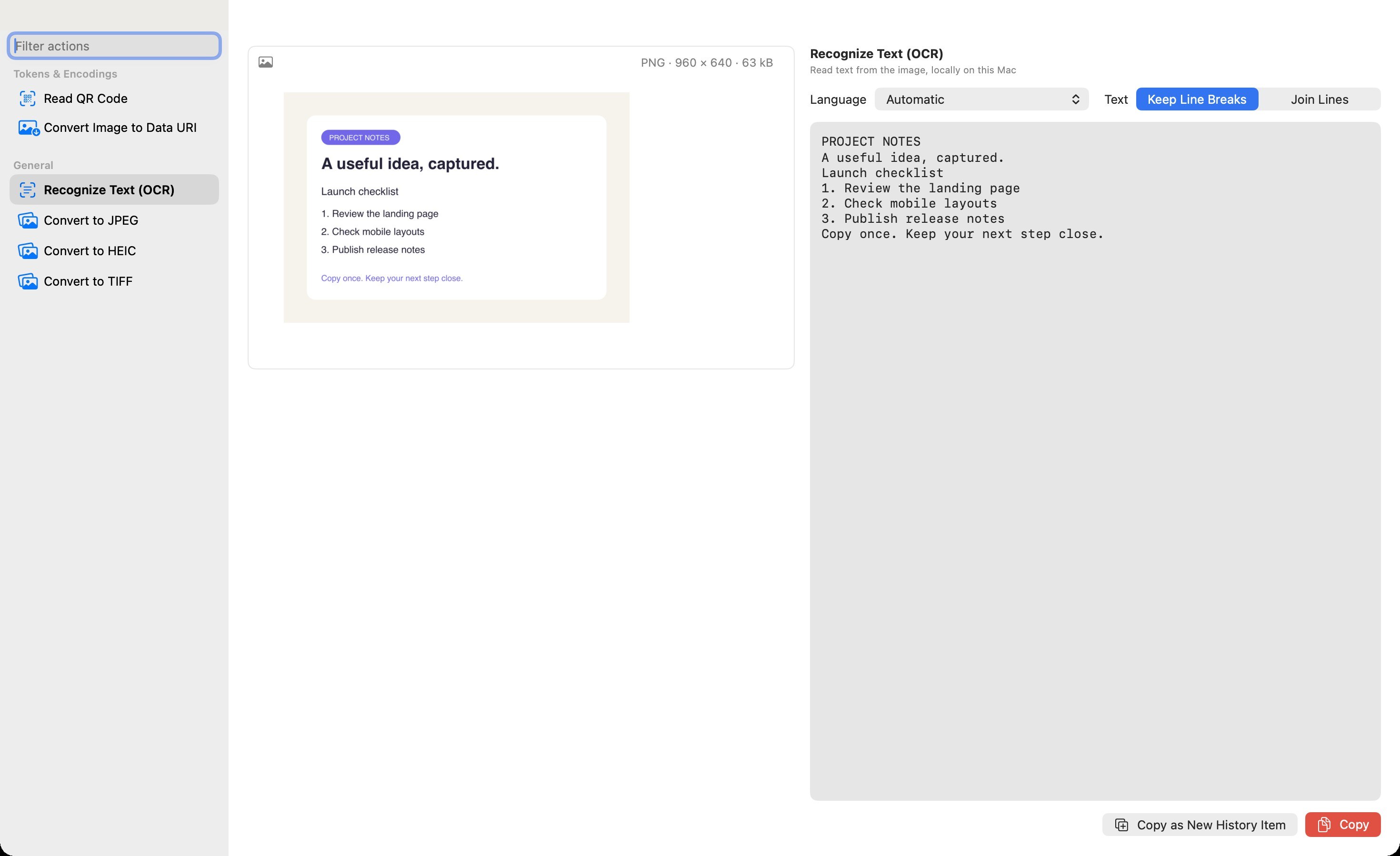
See Dev edition- Read text from an imageUse local OCR on a copied image or screenshot. Review the recognized text, then copy the result.
- Convert images for the next stepConvert between supported PNG, JPEG, HEIC and TIFF formats. Encode an image as a Base64 Data URI or decode a supported image Data URI.
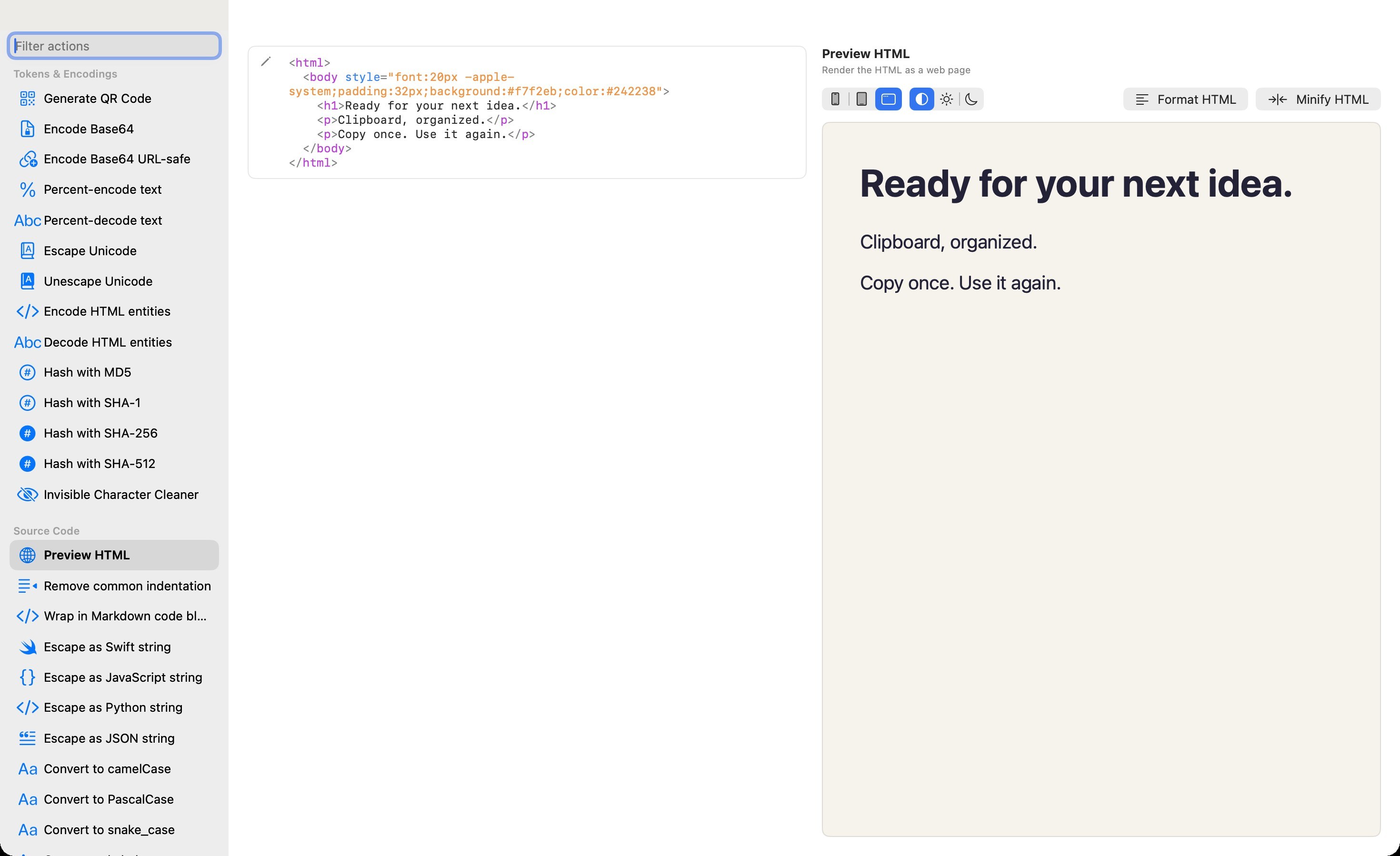
- Edit HTML and see the resultWork with highlighted source beside a live HTML preview. Choose a stacked or side by side workspace.
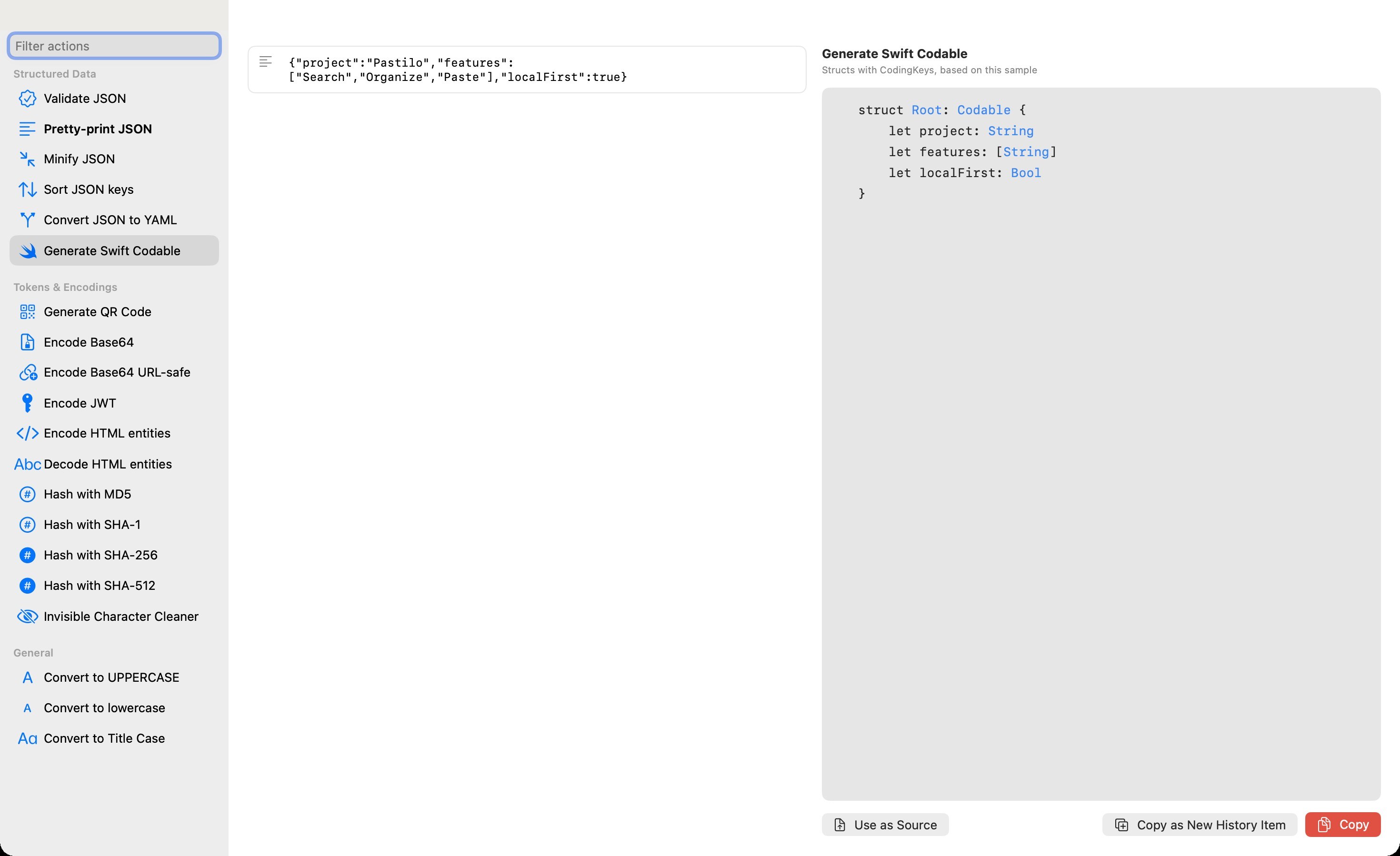
- Turn JSON into Swift CodableGenerate Swift models from copied JSON, format JSON or convert between JSON and YAML.
- Clean up text and arraysChange letter case, sort lines, remove duplicate lines or edit an array. Expand multiline items into individual lines in Combine.
- Keep the familiar tools closeConvert number bases, inspect colors and tokens, clean URLs, create hashes and QR codes, fill snippets and compare changes.
Three everyday examples.
Recover a paragraph from a screenshot with OCR. Convert a copied image into a Data URI for HTML or CSS. Turn a JSON response into Swift Codable models.
When you need to adjust the source first, edit the text or array in the tools window. Keep the result beside the source while you review it.
From an image to reusable text.
Dev recognizes text locally on your Mac. Review the result, then save it as a new history item.
Copied code becomes useful.
Without leaving your Mac.
Developer tools questions
Do developer tools upload my content?
OCR and developer transformations run locally on your Mac. They do not upload your content for processing. Optional iCloud and link thumbnails are separate features described in the Privacy Policy.
Which edition includes OCR and image conversion?
Dev includes OCR, image conversion, HTML preview, JSON to Swift Codable and the other developer tools. Dev also includes the Plus features.
Which image formats can I convert?
Pastilo offers supported PNG, JPEG, HEIC and TIFF targets that your Mac can write. JPEG removes transparency, so transparent areas become white.
Can I edit copied HTML?
Yes. The dedicated Developer Tools window lets you edit HTML source and see the live preview beside it or in a stacked view.
Can I save a tool result as a history item?
Yes. You can copy a text or image result as a new history item and reuse it later. Review OCR results before using them.
Keep your developer workflow close to the clipboard.
Compare the edition built for coding work.