
A secure clipboard for sensitive items.
Mark important clipboard entries as secure, protect them with Touch ID, prevent accidental deletion and let them expire when they are no longer needed.
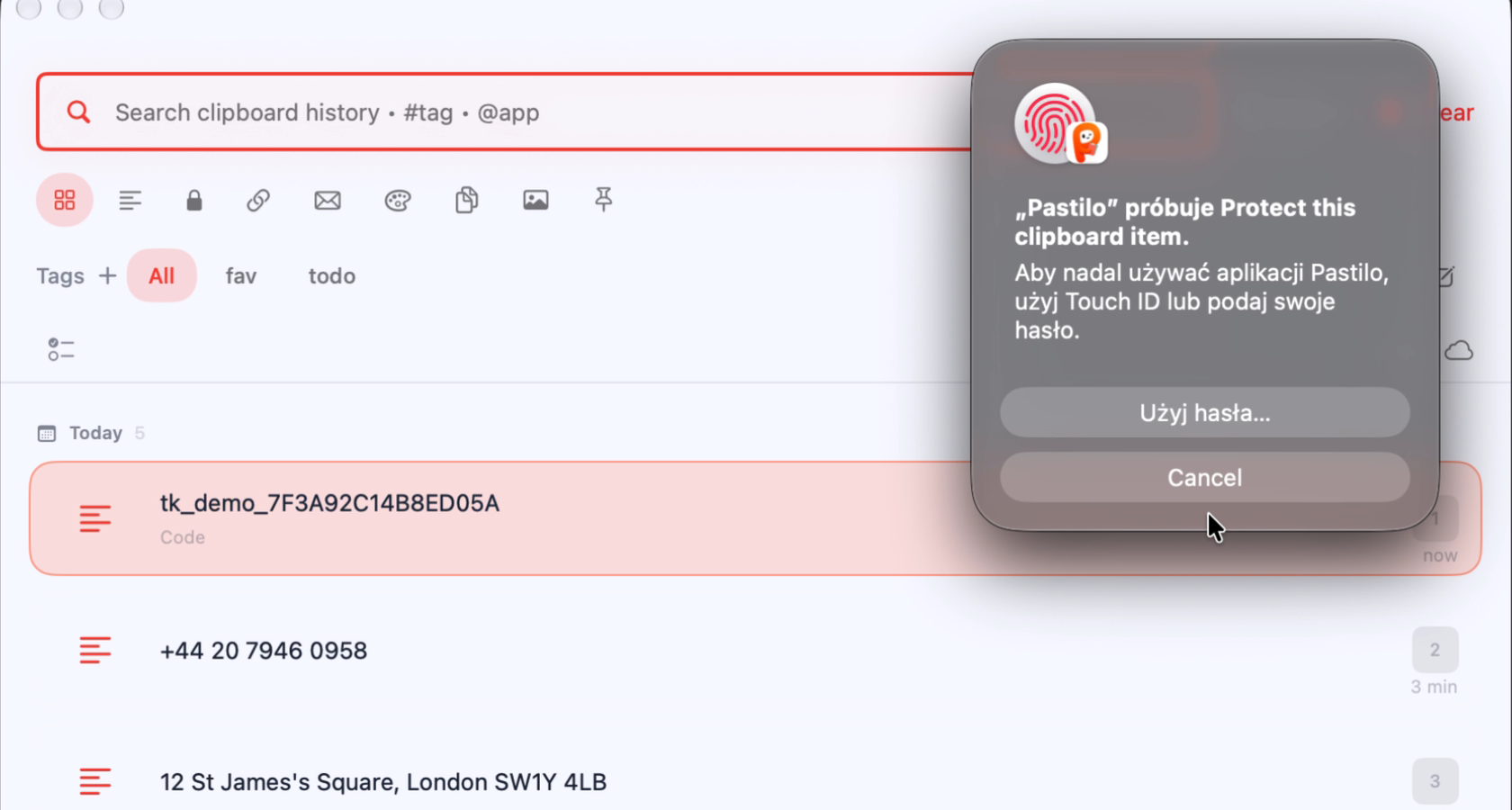
Protection that follows the item.
Pastilo keeps security controls beside the clipboard entry. That makes sensitive text easier to protect without moving it into another app or sending it to a remote service.
See editions- Unlock with Touch IDAdd a familiar macOS authentication step before viewing protected content.
- Block accidental deletionKeep an important secure item from disappearing with an unintended click.
- Set an expiryLet temporary secrets leave your history on a schedule you control.
- Stay localSecurity controls work alongside Pastilo's local clipboard workflow.
Sensitive items stay close.
Only when you allow it.
Secure clipboard questions
Does Touch ID send clipboard content anywhere?
Pastilo is designed to keep clipboard data local. Touch ID is used as a local protection step for secure items.
Can secure items expire automatically?
Yes. Set an expiry for a secure item when temporary information should not remain in your history indefinitely.
Can I prevent deletion?
Secure items can use a deletion lock to reduce the risk of removing something important by accident.
Keep the sensitive things close, but protected.
Choose the Pastilo edition that matches your needs.