
Notes and Scratchpads beside your clipboard.
Use Notes and Scratchpads for temporary context, reusable snippets, checklists and code fragments without leaving the clipboard workspace.
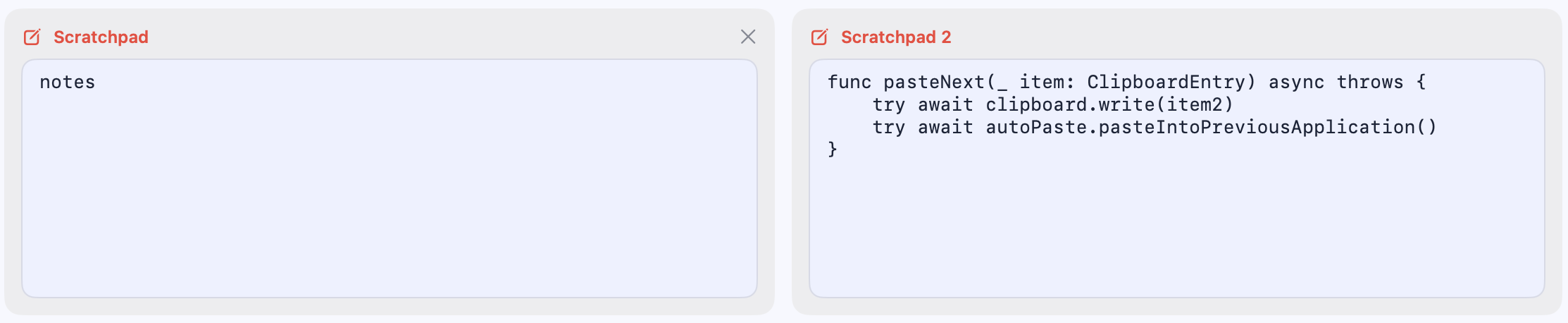
Keep the in-between work visible.
Not every useful piece of text belongs in long-term history. Scratchpads give you a focused place for the note, draft or code block you are using right now.
See Plus edition- Write quick notesCapture context, reminders or a short checklist while you work.
- Keep code closeHold a fragment beside the clipboard items that support it.
- Reuse what is worth keepingMove useful content back into your history when it becomes a repeatable snippet.
- Stay in one workspaceKeep temporary notes near the menu-bar tools you already use.
Keep the thought beside the work.
Reuse it when it matters.
Notes and Scratchpads questions
What are Scratchpads for?
Scratchpads are small working spaces for notes, drafts, code fragments and other context you need nearby for a while.
Are Scratchpads the same as clipboard history?
No. They are a focused place for deliberate notes, while history captures content you copy during normal work.
Which edition includes Scratchpads?
Notes and Scratchpads are included in the Plus and Dev editions.
Give the work around your work a place.
Choose a Pastilo edition with Notes and Scratchpads.